Step-by-step solutions
A visual guide to finding, following, and learning from Phyxio's guided solutions.
Where to find a guided solution
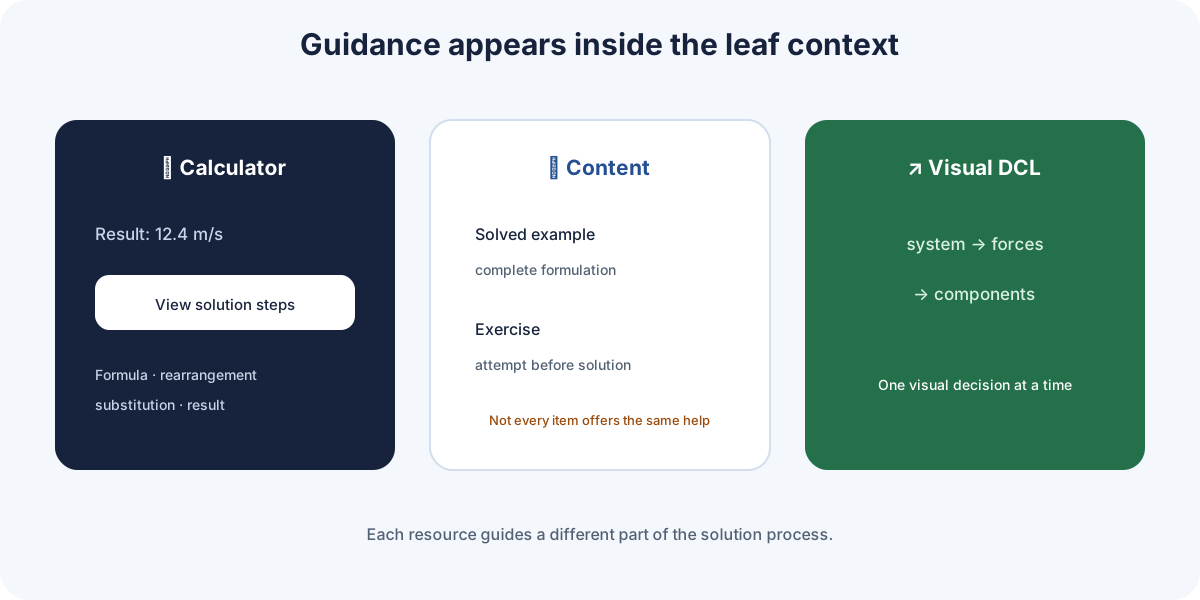
Phyxio has no single button that solves every question. Step-by-step help appears within the context you are studying and takes several forms.
In the leaf calculator
Enter the data, choose the unknown, and press Calculate. If that formula includes a guided derivation, View solution steps appears beneath the result. Expand it to see the formula, rearrangement, substitution, and result.
In leaf content
Theory and example tabs may contain worked problems explaining the complete setup. Available exercises may show a structured solution after you first attempt them.
In some FBDs
Some free-body diagrams let you move through visual stages: system, forces, components, and relations. They support the setup; they are not a universal algebraic solver.
If the expandable section or visual progression is absent, that specific aid is not implemented for the current item.
Read before calculating
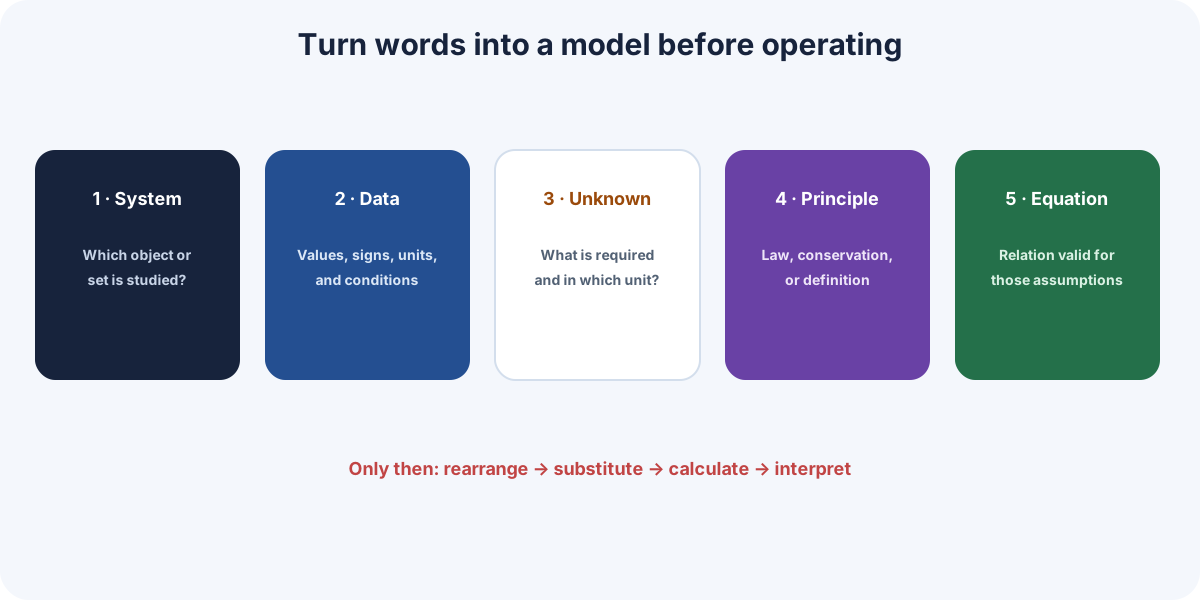
A sound solution begins by turning the statement into a model. Before opening the steps, prepare a short record:
| Question | What to record |
|---|---|
| What system am I studying? | Relevant object, collection, or region. |
| What is required? | Unknown, symbol, and expected unit. |
| What is known? | Data with sign, value, and unit. |
| What am I assuming? | Ideal model, approximations, and conditions. |
| What principle connects them? | Applicable conservation law, law, or definition. |
Data are not always numbers
Phrases such as "starts from rest", "frictionless", or "in equilibrium" are mathematical conditions. Translate them before substituting values: for example, , , or .
Do not choose an equation merely because it contains the unknown. Check that its assumptions match the problem.
How to follow a solution
Read each step as a decision, not as a line to copy.
- Principle: identify the law or definition being used.
- Model: check why that relation applies here.
- Rearrangement: identify the algebraic operation that isolates the unknown.
- Substitution: check signs, units, and powers before calculating.
- Result: interpret the value, its unit, and its physical meaning.
The calculator's expandable steps
After calculating, open View solution steps. The calculator displays the steps defined for that formula. It may perform the operation correctly while starting from unsuitable data or a wrongly chosen model: that choice remains the user's responsibility.
An effective technique is to hide the next step, predict it, and reveal it only to compare.
Check as you solve
Do not wait for the final result to look for errors. Apply a brief check at every stage.
| Stage | Check |
|---|---|
| Setup | Does the law match the system and assumptions? |
| Rearrangement | Was the operation applied to both sides? |
| Substitution | Do all values use compatible units? |
| Calculation | Were parentheses, powers, and signs entered correctly? |
| Result | Are the dimension and order of magnitude reasonable? |
Three quick tests
- Dimensions: both sides of an equation must represent the same kind of quantity.
- Limiting case: ask what happens if one variable is zero, very large, or very small.
- Estimate: approximate first to expose absurd results or powers-of-ten errors.
If your result differs from Phyxio's, compare from the first step at which the expressions cease to match. The cause lies there, not necessarily in the final operation.
Visual aids while solving
Visual tools answer different questions and can be used alongside algebraic steps.
| Aid | Question it helps answer |
|---|---|
| FBD | Which interactions act, and in which direction? |
| SVG | How is the system arranged and how does it change? |
| Coord | How are variables related and what trend do they follow? |
| Calculator | What value does the equation produce for these data? |
| Interpretation | What does the result mean physically? |
| Phyxio AI (Phyxi) | Which concept or step do I need explained? |
Some FBDs provide a staged progression, but not all do. In graphs, Follow calculator connects the representation to calculated data and Experiment explores other values when supported by the view.
Phyxi is the mascot's name and a short form of Phyxio AI: both refer to the same assistant. Ask it for a hint or the justification of one specific step instead of requesting the complete answer immediately.
Turn a solution into learning
Seeing the steps does not guarantee that you can reproduce them in another problem. Use this sequence:
- Attempt the setup without opening the solution.
- Compare the first disagreement, not only the result.
- Explain in your own words why each step is performed.
- Close the help and reconstruct the solution from scratch.
- Change one datum or condition and predict the effect before calculating.
What is worth saving
Do not copy a complete page. Record in your notes:
- the general method outline;
- the decision you found difficult;
- the mistake you made and how to detect it;
- a dimensional check or limiting case;
- a similar problem to attempt later.
The guided solution has served its purpose when you can justify the procedure and adapt it to a different question without reopening it.