Unit converter
A visual guide to converting quantities, scales, and prefixes without losing their physical meaning.
Convert a quantity
Open the Unit converter from global tools. The conversion updates when you choose the quantity, units, and value.
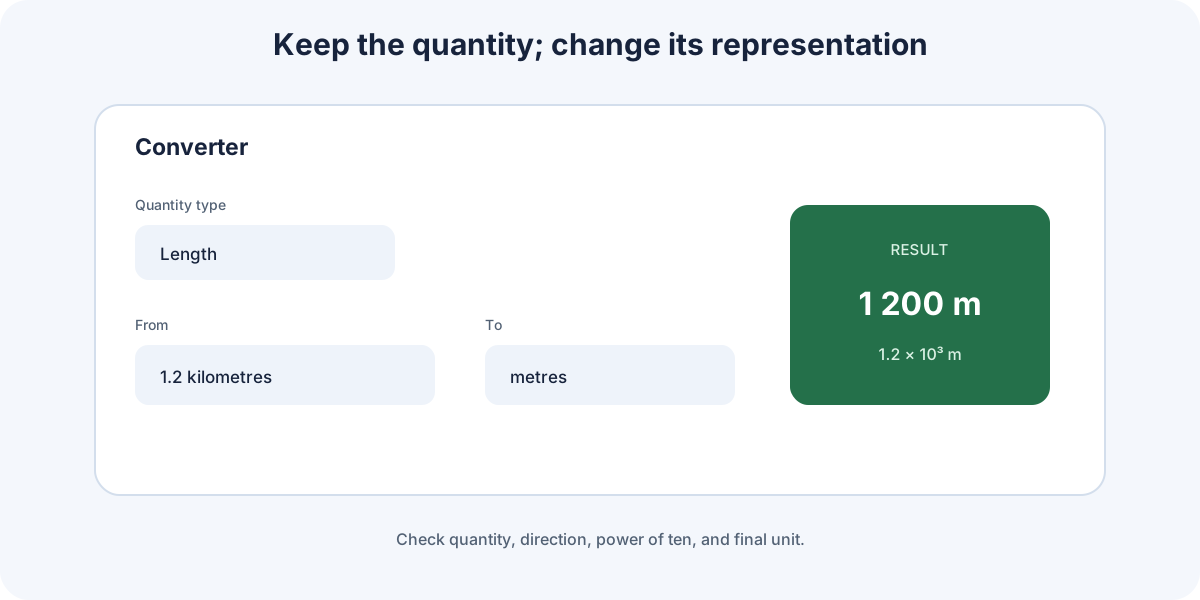
- Select the quantity type: length, mass, time, temperature, or another available group.
- Choose the source and target units.
- Enter the value with the correct sign and decimal separator.
- Read the result, its symbol, and the displayed scientific notation.
- Use Swap to reverse source and target or Reset to restore the initial state.
Favourite shortcuts load frequent conversions. The converter remembers its latest browser state, so recheck the units whenever you return.
Choose quantities and units
Only units of the same quantity can be converted directly. Meters and kilometers describe length; seconds and hours describe time. There is no conversion factor between length and time without an additional physical relation, such as speed.
Symbols requiring attention
mmay mean meter as a unit, while also representing mass in an equation.- Uppercase and lowercase matter:
mandMare not interchangeable. - Squared or cubed units apply the full prefix: .
- Degrees and radians measure angle, but mathematical functions may expect a particular convention.
Temperature conversion is affine: Celsius, Fahrenheit, and kelvin do not share a simple multiplier because their zero points differ. Use the converter's dedicated group.
Result scale and scientific notation
The same physical value may be written at different scales:
[
]
When supported by the quantity, the result-scale selector helps choose a readable representation. Changing the prefix does not change the quantity, only the number and unit used to express it.
- Avoid long strings of zeroes by using a prefix or scientific notation.
- Check the exponent sign:
millimeans , not . - Retain enough digits during calculation and round when presenting the result.
- When copying into an equation, use units compatible with the remaining data, usually SI.
For affine conversions such as temperature, automatic scaling is restricted because applying a prefix is not the same operation as it is for length or mass.
Check a conversion
A correct conversion preserves the physical quantity and changes only its representation.
- Quantity: source and target belong to the same group.
- Direction: moving to a smaller unit normally increases the numerical value.
- Factor: estimate the power of ten before reading the result.
- Inverse: press Swap; converting the result back should recover the initial value within rounding.
- Final unit: always write it beside the number.
A particularly common mistake
For areas, volumes, and compound units, the factor applies to the entire power. When uncertain, write the conversion factor as a fraction with units and cancel them algebraically.
The result must describe exactly the same quantity as the original datum.